Understanding HTML Tags and Elements
Hello 👋
Let’s understand the basics of HTML tags and elements step by step.
What is HTML
HTML (Hyper Text Markup Language ), it is a text-based language use it for structure and meaning of the content on the web. Browser parse these HTML and render them to visual web pages .
Why we use HTML
We use HTML to :
define structure (heading, paragraph)
Add meaning/semenic (<article>, <nav>, <header>)
create hyperlinks
embed video, audio, map
What an HTML tag is
HTML tag is keyword, which enclosed in brackets (< and >). This tag used for build sentenced and links .
<h1>THIS IS VISHAL GUPTA BLOG</h1>
<a></a>
Opening tag, closing tag, and content
Opening tag : Tags which which is <> in this format called opening tag. e.g: <p>, <h1>, <span> etc.
Closing tag : Tags which which is </> in this format called opening tag. e.g: </p>, </h1>, </span> etc.
Content: Opening tag and Closing between text called content . e.g: <p>This is paragraph</p> etc.
What an HTML element means
HTML element is a component of a web page that tell to browser hoe to represent that content and how it should be structured .
<h1>Welcome</h1>
Self-closing (void) elements
Self-closing tag which also known as void element these tag not require closing tag .
e.g: <br>, <hr> ..etc
Block-level vs inline elements
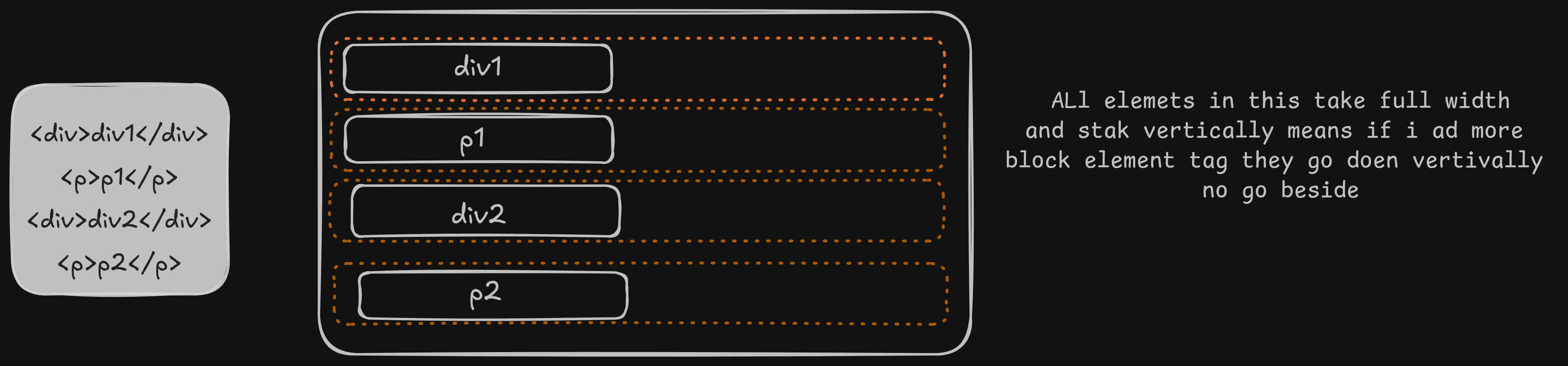
Block-level Elements : Which element that occupy full width and stack vertically .
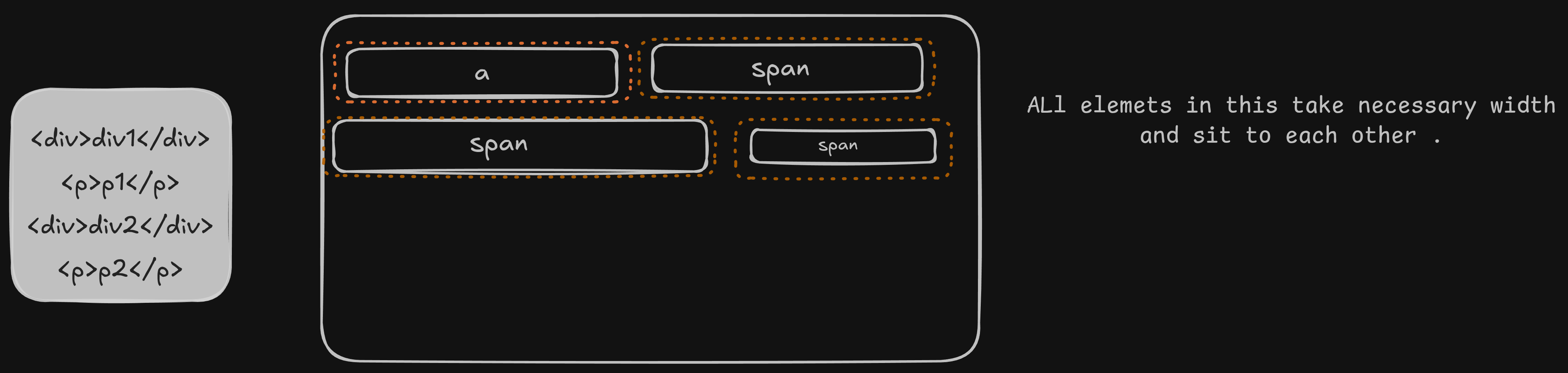
Inline-level elemets: That elements that occupy necessary width and sit next to each other .
Commonly used HTML tags
These are commonly used HTML tags:
h1–h6→ Heading tags (from largest to smallest)p→ Paragraph tagspan→ Inline container for textbr→ Line breakhr→ Horizontal linediv→ Block-level containernav→ Navigation section
Final Note 👋
HTML is the building block of the web.
Understanding tags and elements clearly makes learning CSS and JavaScript much easier.
See you in the next lesson — happy coding! 🚀


